Running the mall
Consignment
AllAisles runs consignment the same way it runs a mall: one inventory, one checkout, a split frozen onto every sale. A consignor is simply a vendor with no booth and a set of consignment terms.
Set your shop’s defaults
Back office → Settings & rates → Consignment. These fill in for every new consignor:
- Shop’s side of the split — 40 means a 40/60 split: the shop keeps 40%, the consignor gets 60%.
- Listing service — normally 0%. In consignment, intake and listing are part of what the split pays for. Only set a listing fee if you’ve agreed one with the consignor separately.
- Consignment period — how long an item stays on the floor, for example 90 days.
- Markdowns — days on the floor and percent off the starting price.
30:20,60:40means 20% off after 30 days and 40% off after 60. Leave it empty for no markdowns. - At the end of the term — return to the consignor, or donate.
Add a consignor
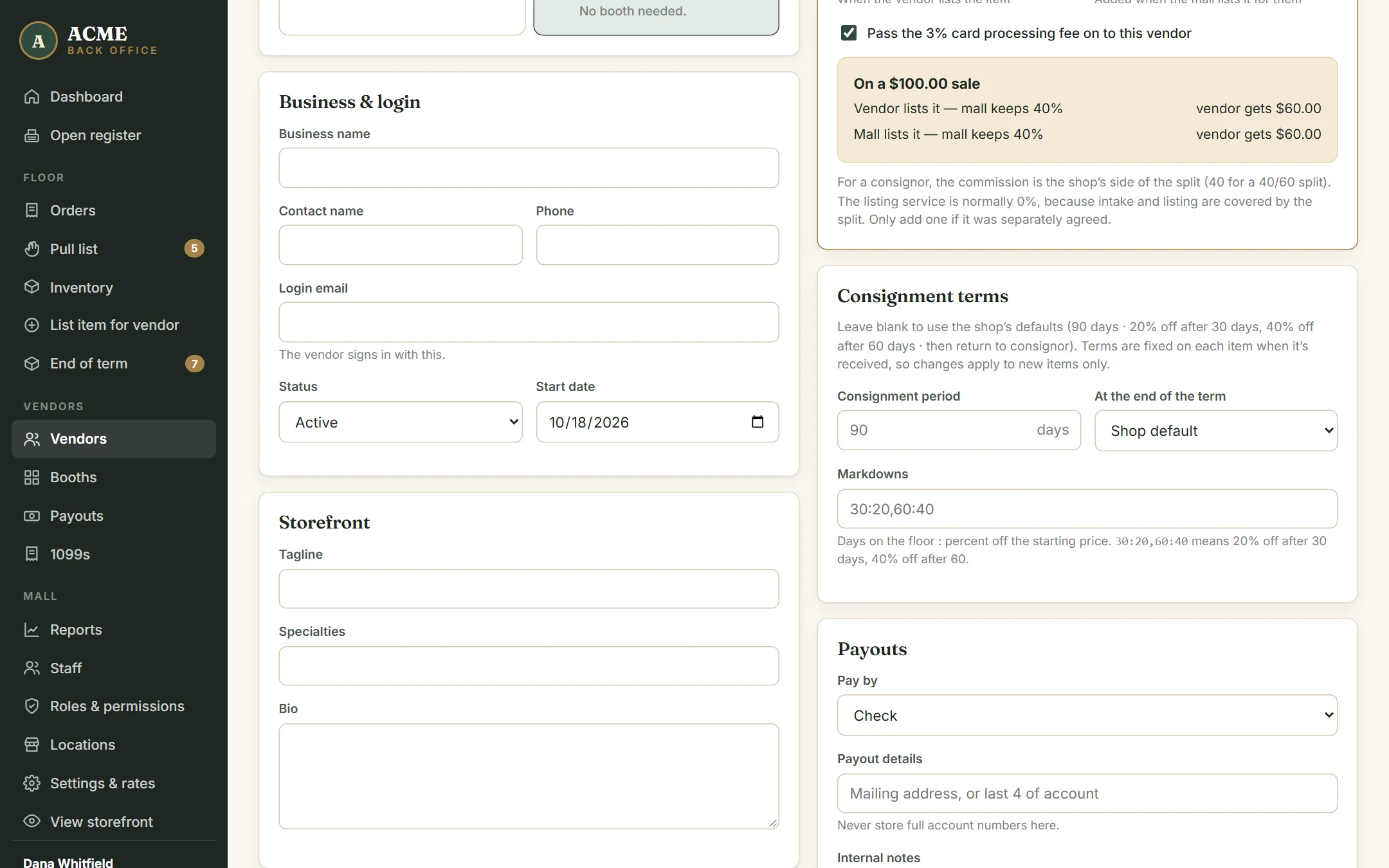
- Go to Vendors → + New consignor. (Or open + New dealer and choose Consignor at the top.)
- Fill in their name, phone and login email. There’s no booth to pick.
- The split and listing service start at your consignment defaults — check them against the agreement they signed.
- Under Consignment terms, leave the boxes blank to use the shop’s defaults, or enter this consignor’s own period, markdowns and end-of-term choice.
- Click Create vendor & login and hand them the temporary password.
Taking items in
List each item from List item for vendor and choose the consignor. The day you list it is its received date, and the consignor’s terms are fixed onto the item then — the term end date, the markdown schedule and what happens at the end. Changing the shop’s defaults or the consignor’s terms later only affects items received after that.
Because the consignor’s listing-service rate is 0%, the Charge the listing service fee box starts unticked for them. Print tags as usual.
Markdowns
On each markdown day the item’s price drops to the scheduled percentage of its starting price. The register, the online store and the consignor’s split all use the new price, and the store shows the original price crossed out. Markdowns only go down, and a sale always checks for a markdown that’s due, so nobody pays yesterday’s price.
To change an item’s price by hand, edit it and enter a new starting price. Any markdown already due stays applied on top.
End of term
Back office → End of term lists every consignment item whose term is over, grouped by consignor with their phone number. Items stay on sale until you deal with them. For each consignor, tick the items and choose:
| Button | What happens |
|---|---|
| Close out as agreed | Each item does what the consignor chose at intake: returned or donated. |
| Returned to consignor | The item comes off sale and is recorded as returned. |
| Donated | The item comes off sale and is recorded as donated. |
| Give a new term | The item stays on sale for another full period from today. |
| Print pull tags | Tags for the ticked items, to find them on the floor. |
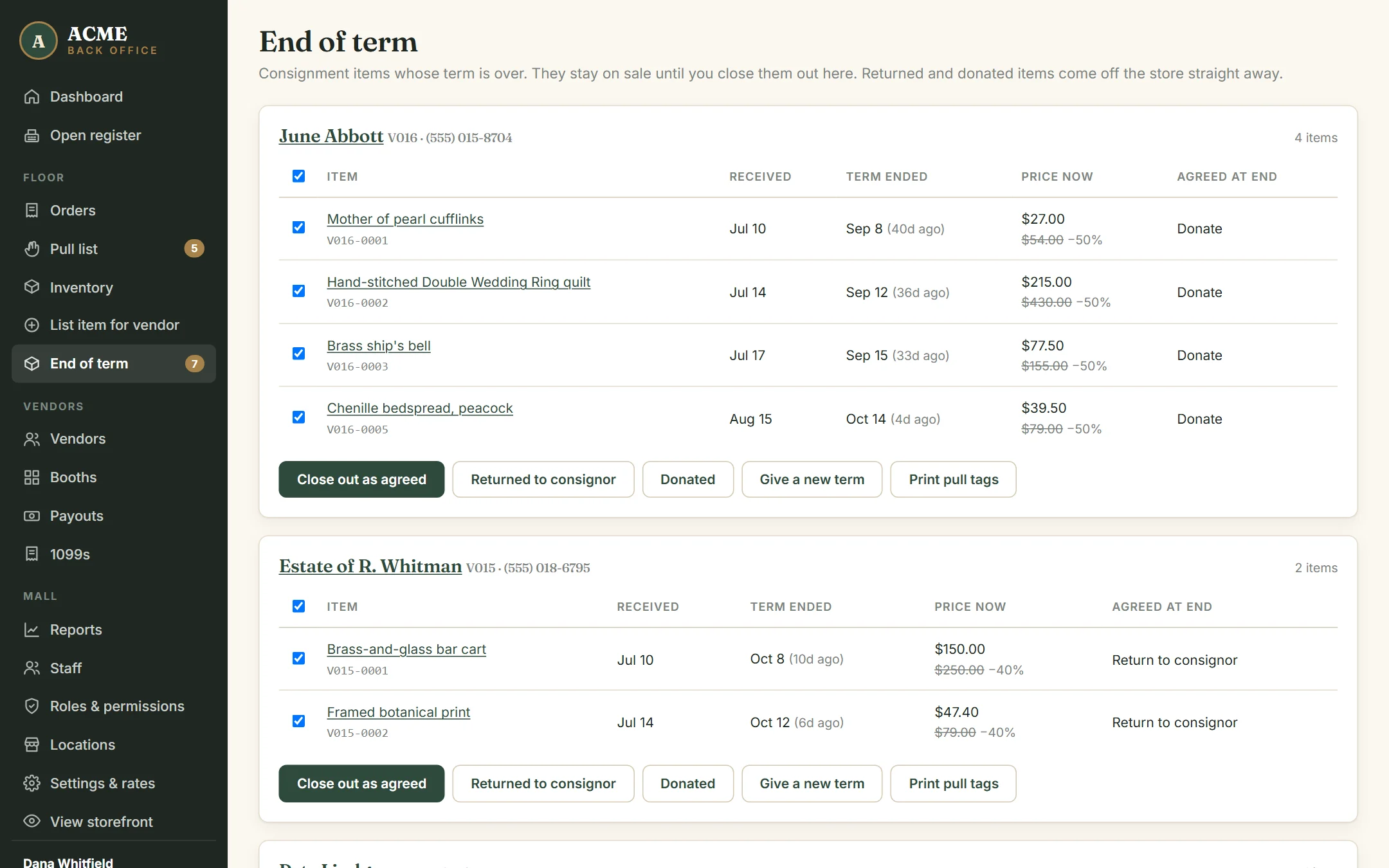
The page also shows what’s due in the next two weeks and what was closed out in the last 30 days.
Emailing consignors
AllAisles emails each consignor automatically before their items’ terms end — 7 days before unless you change it under Settings & rates → Consignment (0 turns it off). One email lists all of their items that are due, with the date to collect by: the term end plus your time to collect (7 days by default). If their items are set to be donated, the email says so. Each item is only announced once; giving it a new term announces the new end date when it comes.
To nudge someone, use Email a reminder on their group in End of term. The list shows when each consignor was last emailed. Replies go to your shop’s email.
What consignors see
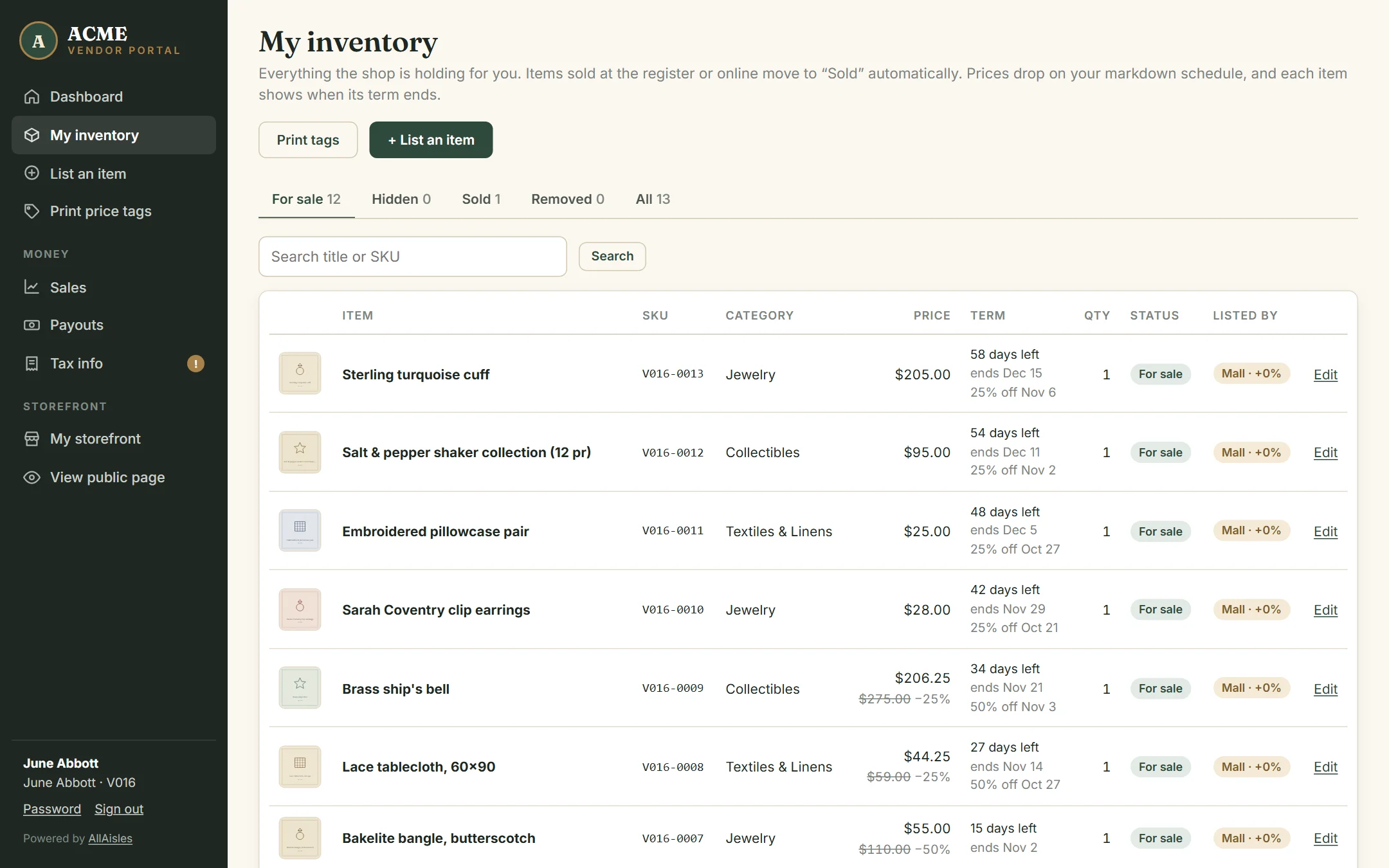
Consignors sign in like dealers. Their dashboard shows their split and terms, and their inventory shows each item’s days left, its next markdown and anything returned or donated. Sales and payout statements work exactly as they do for dealers. See The dealer & consignor portal.
Paying consignors
Consignors are on the same payout schedule as dealers, and there’s no booth rent. Create the statements on Payouts, pay them your usual way, and mark each one paid. See Paying dealers.